



Your new patient portal is here.

Download AthenaPatient Now

Download the AthenaPatient app today and take your health information with you. Patients can use the portal to manage common healthcare needs, stay connected with the care team, and access helpful information without waiting on the phone.

Start by downloading AthenaPatient for iPhone or AthenaPatient for Android. You can also access the Centennial Medical Group Patient Portal from a web browser.

athenahealth logo

Search for AthenaPatient in the App Store or Google Play and download today.
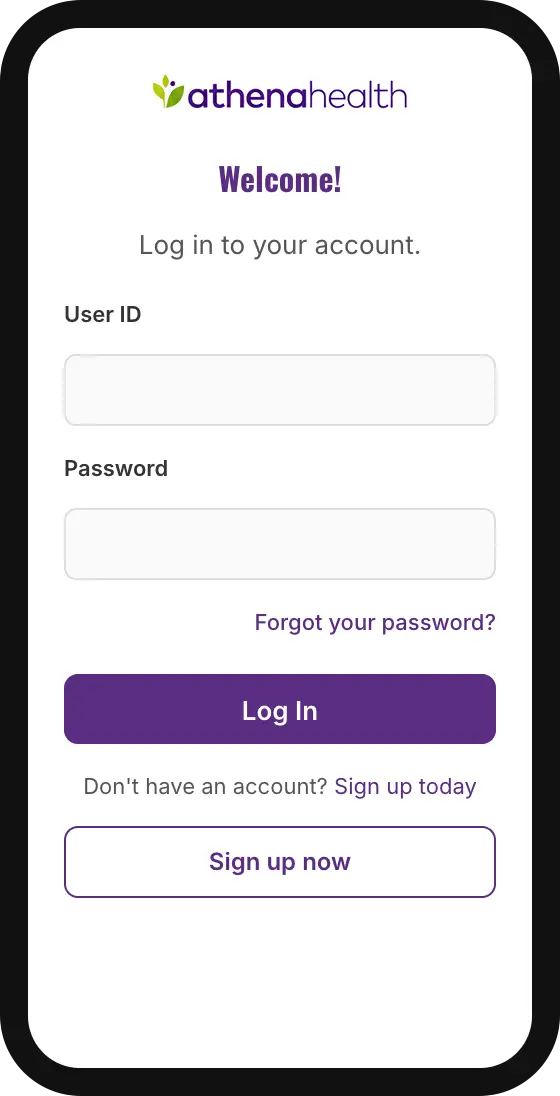
athenapatient app mobile view

WHAT PATIENTS CAN DO IN THE NEW PORTAL

Calendar icon representing appointment scheduling

Schedule or request appointments

Book or request visits online when that feature is available for your account.

Speech bubble icon representing secure messaging

Message
your care team

Send secure, non-emergency messages to your provider or office team.

Clipboard icon representing lab test results

View
test results

Access lab results, visit information, and health updates.

Prescription bottle icon representing medication refills

Request
prescription refills

Ask for eligible medication refills through the portal.

Document icon representing billing information

Manage health and
billing information

View statements, make payments, and keep account details up to date.

Icon of connected devices representing portal access anywhere

Stay connected
anywhere

Use your phone, tablet, or computer to access your information securely. Note for webmaster: portal tools and functions may vary by account, provider, and services enabled by the practice.

get started in minutes

HOW TO GET STARTED

Step 1 icon

Look for your invitation.

Check your email for an invitation from Centennial Medical Group or athenahealth. If you do not see it, check your spam or junk folder.

Step 2 icon

Create or confirm your portal login.

Follow the email instructions to create your account. Returning athenahealth users may be able to log in using their existing athenahealth Patient Portal email and password.

Step 3 icon

Download AthenaPatient.

Search for “AthenaPatient” in the Apple App Store or Google Play Store and download the app.

Step 4 icon

Log in.

Open AthenaPatient and use the same email address and password connected to your athenahealth Patient Portal account.

Step 5 icon

Start using the portal.

Once logged in, patients can access available features such as appointments, messages, test results, prescription refills, and billing tools.

Watch Our New Patient Portal Video Tutorials

common questions

FAQS

AthenaPatient is the mobile app connected to athenahealth’s Patient Portal. It helps patients access eligible portal tools and health information from a mobile device.

Yes. Patients need an athenahealth Patient Portal account linked to their provider. If you do not have
one, contact the office or follow the portal invitation instructions.

Download the app called AthenaPatient. Be sure the app is from athenahealth.

Yes. Patients are instructed to use the same email address and password they use for their provider’s athenahealth Patient Portal.

Yes. Appointment options are available via the portal. If you do not see an appointment option, contact the office.

Secure messaging is available for non-emergency questions and communication. Do not use portal messaging for emergencies
or urgent medical symptoms.

Test results and other health information may be available through the portal after they are processed and released to your account.

Eligible refill requests will be available through the portal. Some prescriptions may require an appointment or
additional provider review.

Billing tools allow patients to view statements, update information, and make payments online.

Use the password reset option on the portal or in the AthenaPatient app. If you are still unable to access your
account, contact the office for support.

No. For emergencies or serious symptoms, call 911 immediately. For urgent care needs, visit a FirstCall Medical Center location.

Need directions or urgent care information?

Visit the FirstCall Medical Center Urgent Care Locations page for
locations, hours, and directions.

Need a primary care appointment?

Visit the Centennial Medical Group Appointments page or contact the office. For patients having trouble with setup, the page should direct them to ask the front desk team during their next visit or call the office for help.

For patients having trouble with setup, the page should direct them to ask the front desk team during their next visit or call the office for help.